Mira
MiraHow to Auto-Post YouTube Videos to a Telegram Channel (2026 Guide)
Author: Mira TeamPublished: Updated:
- youtube
- telegram
- automation
TL;DR
- Every YouTube channel has an RSS feed, so an RSS tool can post new videos.
- A plain feed posts every upload, Shorts included. Mira scores each video against your topic first.
- In Mira, YouTube is a source type on Pro. You publish each draft from the Inbox.
- Skip Mira to mirror a channel fully, or to upload video files.
Many Telegram channels share videos from YouTube. Some post every upload of a favorite creator. Others pick only the videos that fit their readers.
Both need something that notices new uploads.
This guide compares three ways to connect YouTube to Telegram. It covers the details that trip up most setups: Shorts, previews and language. Then it shows the setup in Mira.
Three ways to post YouTube videos to Telegram
The difference is what happens before a video reaches your channel.
| Way | Setup | Filtering | Upkeep |
|---|---|---|---|
| YouTube RSS feed and a poster | 30–60 minutes | None, every video is posted | Low to medium |
| No-code tool (IFTTT, Zapier, Make) | 15–30 minutes | Keyword rules | Low |
| Mira | 5 minutes | AI scores each video | Each source shows its status |
- The YouTube feed and a poster. Every channel has a feed at
youtube.com/feeds/videos.xml?channel_id=plus the channel ID. Connect it to any RSS-to-Telegram bot, and Telegram shows the preview. - A no-code tool. It triggers on new videos and sends a Telegram message. It matches title words but cannot judge fit.
- Mira. Mira reads the channel and scores each new video against your Profile. Off-topic uploads get a low score, and you decide what goes out.
We recommend the feed and a simple poster for one job: mirroring a channel. For a curated channel, we recommend Mira. The RSS guide explains the plain-feed route.
Curious how a scored video looks? Open Mira and add one channel.
Find the feed address of a YouTube channel
You need this address only for the RSS route. Mira takes the channel link or @handle.
- Open the channel page on YouTube on a computer and click its description to open the About window.
- Choose Share channel, then Copy channel ID. The ID starts with
UC. - Add the ID to the end of
https://www.youtube.com/feeds/videos.xml?channel_id=.
A playlist has its own feed: https://www.youtube.com/feeds/videos.xml?playlist_id= plus the playlist ID. The ID is the part after list= in the playlist address.
We checked both feed types on 2026-10-18. A feed shows only the latest 15 videos.
What you need first
- A Telegram account. Mira runs as a Mini App inside Telegram.
- The address of a YouTube channel. Mira also takes the @handle.
- A Pro plan or the free Pro trial. YouTube is a Pro source type.
- A channel where you are an admin. You need it only when you publish.
Choose which channels to follow
Follow channels that you would recommend to a friend. Start with one or two.
Each channel adds drafts to your Inbox, so more channels mean more reading.
Check how often a channel uploads. A daily channel fills the Inbox fast, and a weekly channel needs patience.
Remove a channel when you never publish its videos.
Add a YouTube channel to Mira
- Open Mira. Mira opens on Today. New accounts start with a free Pro trial.
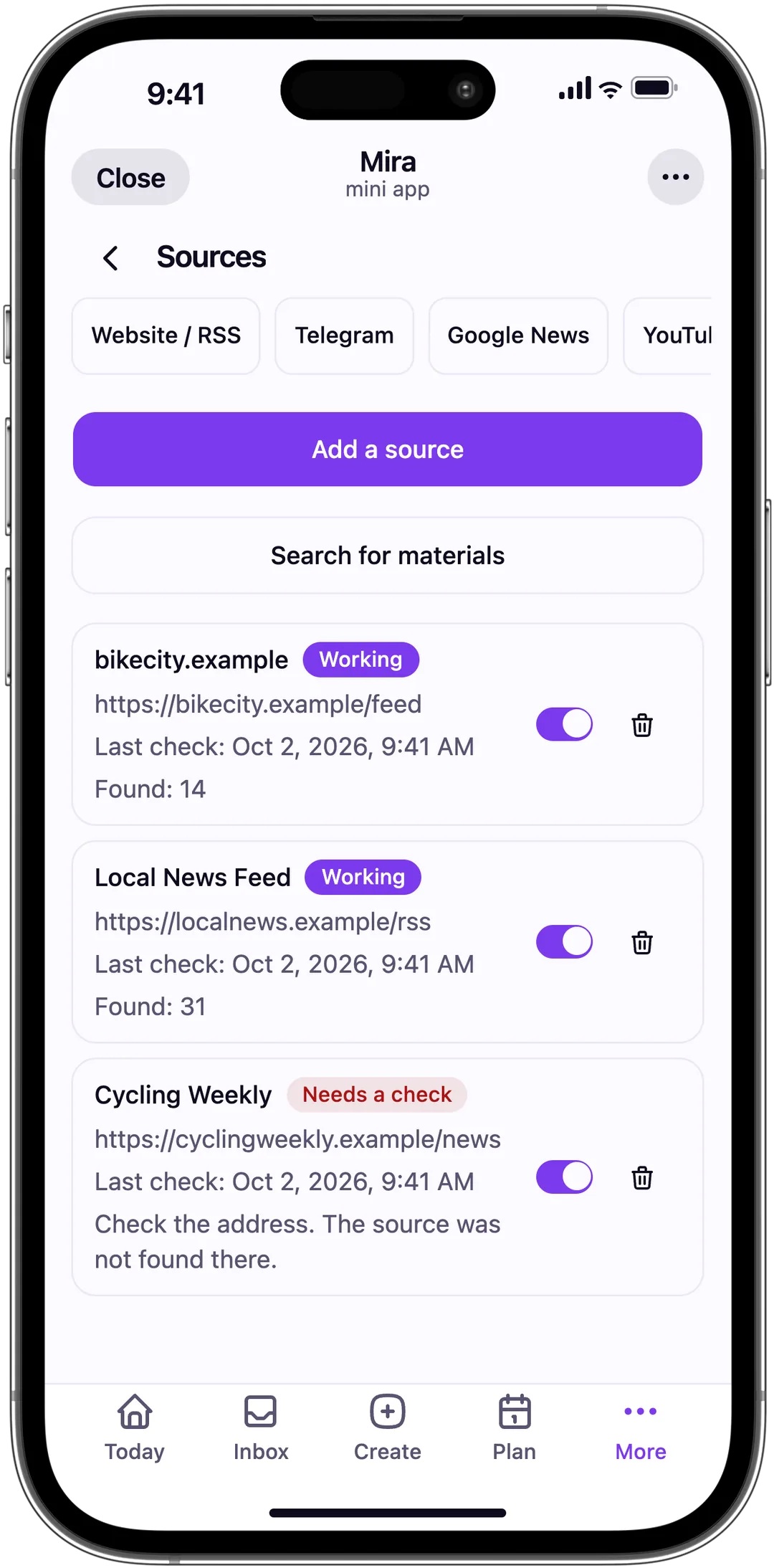
- Add the YouTube source. Open More, then Sources. Choose YouTube and paste the channel address.
- Confirm the channel. Mira checks the source and shows the result. Make sure it is the channel you meant.
- Fill in your Profile. Open Profile. Enter your topic, audience, tone and what to avoid, such as Shorts or sponsored videos.
- Search and publish. Start a search from Today. Review each video in the Inbox, then publish or plan it.
Pro costs 500 Telegram Stars, 690 RUB or 7 USDT per month. Free has no YouTube sources. It follows up to 5 websites and one Telegram channel instead.
Write a Profile for a video channel
The Profile tells Mira what a good video looks like. Here is an example for a channel about indie game development.
- Topic: making games as a solo developer or a small team.
- Audience: developers who build and ship their own games.
- Tone: short and friendly.
- Avoid: Shorts, gameplay-only streams and sponsored videos.
Read the scores after your first search. If a video you dislike scores high, add its type to the avoid list.
How Mira scores a video
Mira compares each new video with your Profile, using the title and the description. A video that fits your topic gets a high score.
A video on your avoid list gets a low one.
The Inbox card shows the score and the reason. You approve every YouTube video before it goes out. Auto-publish works only for website and Telegram sources.
If a channel shows Needs a check
Mira shows the reason next to the status. The most common cause is the wrong address. Paste the address of the channel page, not the address of one video.
If Mira cannot find the channel, copy its address from a browser again. The other sources keep working while you fix one.
YouTube-specific pitfalls
Previews
Telegram builds a preview from the YouTube link, with thumbnail and title. Mira keeps the link in the post, so the preview appears. Check it in the editor before you publish.
Shorts and full videos
A channel feed mixes Shorts and full videos. Mira has no length filter.
Write "Shorts" in the avoid list of your Profile, and Mira scores them lower. This is a soft filter, so a few may still appear.
Age-restricted videos
The preview of an age-restricted video may show a plain YouTube card without a thumbnail. Mira does not remove these videos on its own. If your readers are young, add age-related words to the avoid list.
Channels in several languages
Some channels publish in more than one language. Say in your Profile which language your audience reads. Mira then scores videos in other languages lower.
When this is the wrong tool
- You want a full mirror. Use the plain feed route. Every upload goes out, and you skip AI scoring you do not need.
- The channel uploads less than once a week. Post by hand. Setup costs more than it saves.
- You want to upload video files. Mira posts links, not files. Read the YouTube Terms of Service before you download and re-host videos.
Combine YouTube with other sources
Mira reads websites, YouTube, Reddit, Google News, Telegram and Bluesky. Every source shares one Profile.
A tech channel can follow a news site, a video channel and a subreddit together.
Mira skips items that repeat your past posts. A video and an article about one release do not both go out. Read the guides for Reddit and Google News to add more sources.
Frequently asked questions
How does Mira find new YouTube videos?
Mira checks each connected YouTube channel on its own schedule. Free searches run less often than Pro.
You can also start a search from Today or Sources at any time. New videos enter your Inbox with a score against your Profile.
Can I filter videos by length or language?
Not by length, because Mira has no length setting. Topic filtering works through your Profile, where you list what to avoid.
Language works the same way. Name the language of your audience in the Profile, and Mira scores other languages lower.
Does Mira show the video in Telegram?
Mira posts the YouTube link. Telegram then builds its usual preview with thumbnail and title.
Mira does not upload the video file. Re-hosting can break YouTube's rules, and it makes your channel heavy. Viewers tap the preview to watch on YouTube.
Can I treat Shorts and full videos differently?
Both come through the same channel feed, and Mira scores both the same way. To reduce Shorts, add "Shorts" to your avoid list.
Mira then gives them a lower score. Mira has no separate switch for Shorts today, so the filter stays soft.
Can Mira auto-publish YouTube videos?
No. Videos wait in your Inbox for approval, and each takes one tap to publish. Nothing goes out on its own.
Auto-publish on Pro works for website and Telegram sources only. You can still plan an approved video post for a set time in Plan.
Your next step
Add one YouTube channel that you already follow. Run a search and look at the scores in the Inbox.
If the wrong videos score high, add them to your avoid list and search again.